 FlexiLabels
Product badges that look right on every screen
Highlight bestsellers, sales and perks right under the price, and style them separately for desktop, tablet and mobile. No code needed.
Everything you need to label products
FlexiLabels: Product Badges adds clear, consistent labels to your product cards, so shoppers spot what matters at a glance.
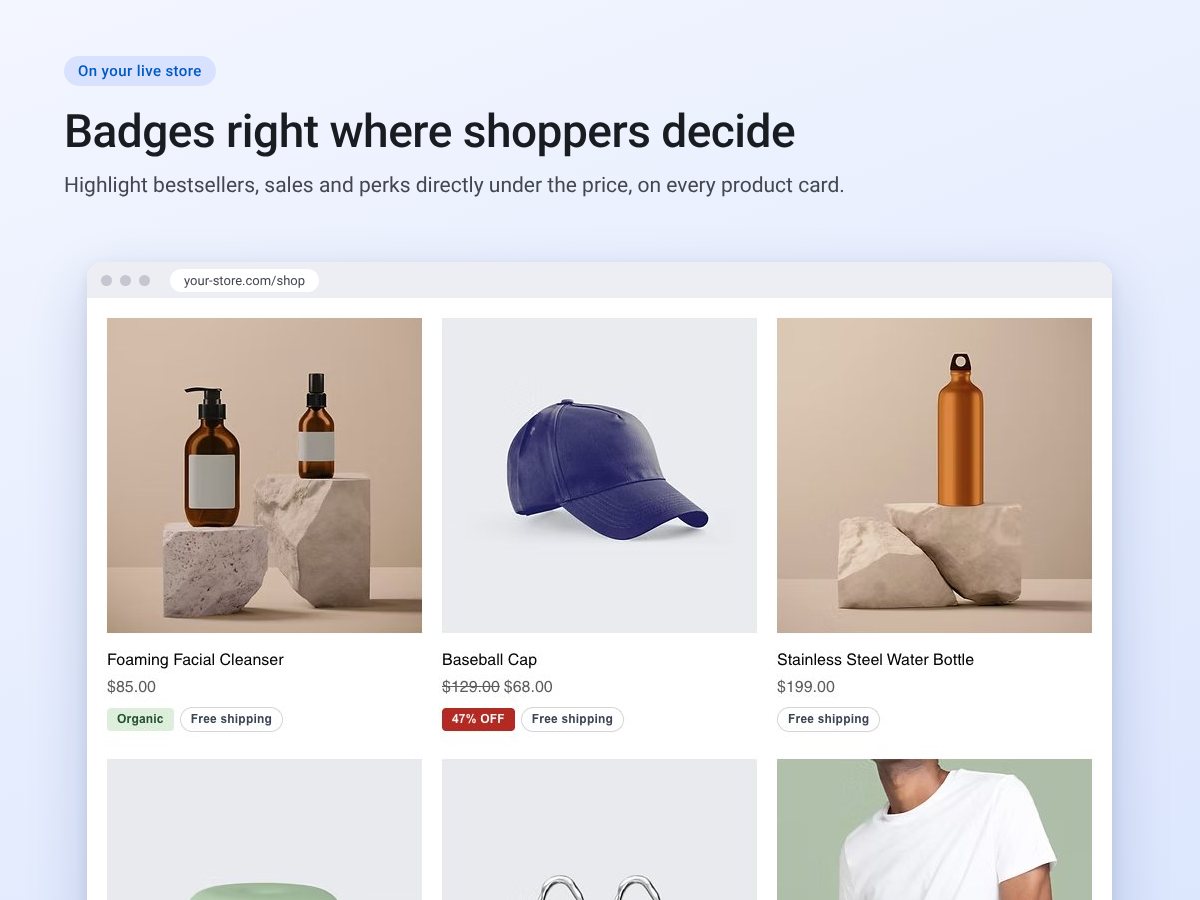
Badges under the price
Show labels like “Bestseller”, “Organic” or “Free shipping” right under the price, above it, below the title, or on the product photo.
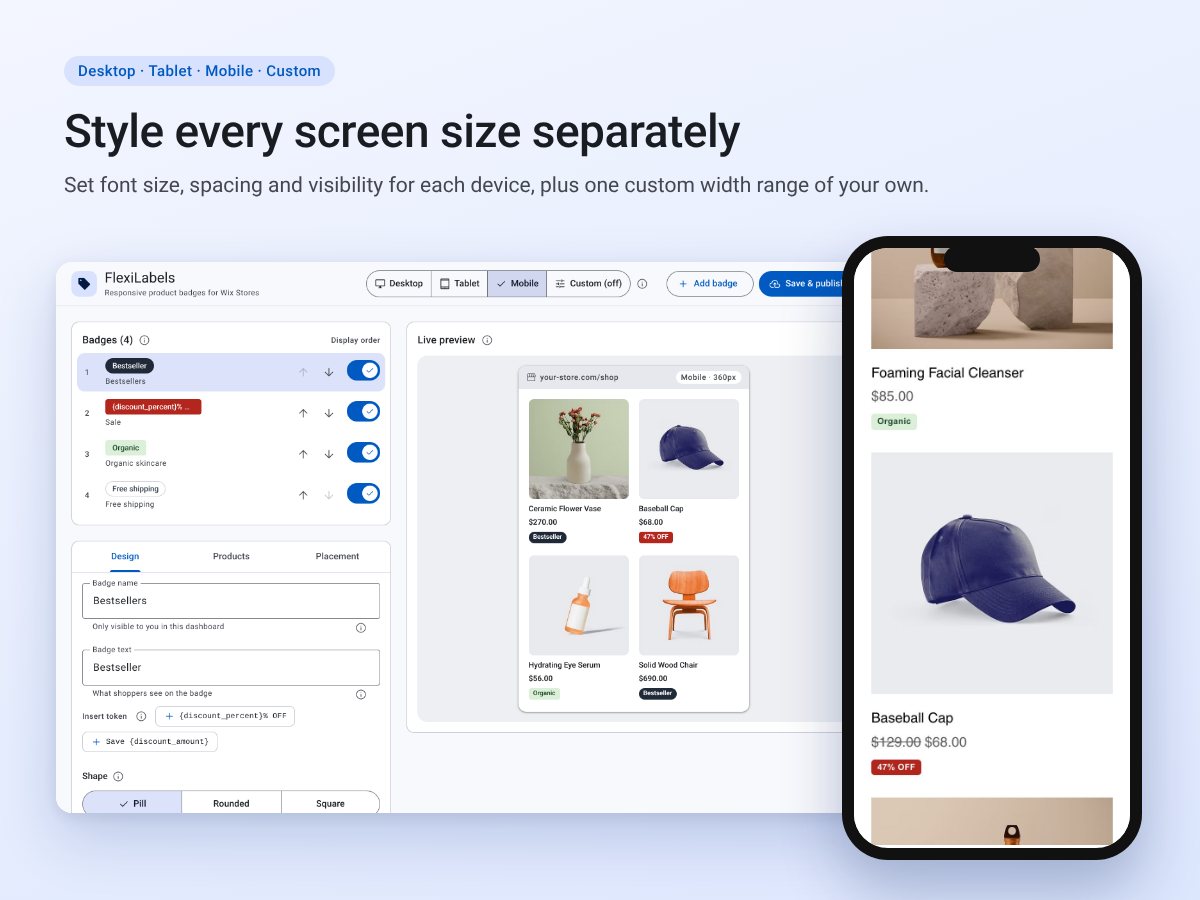
Every screen size, separately
Set font size, spacing, borders and visibility for desktop, tablet and mobile, plus one custom width range of your own.
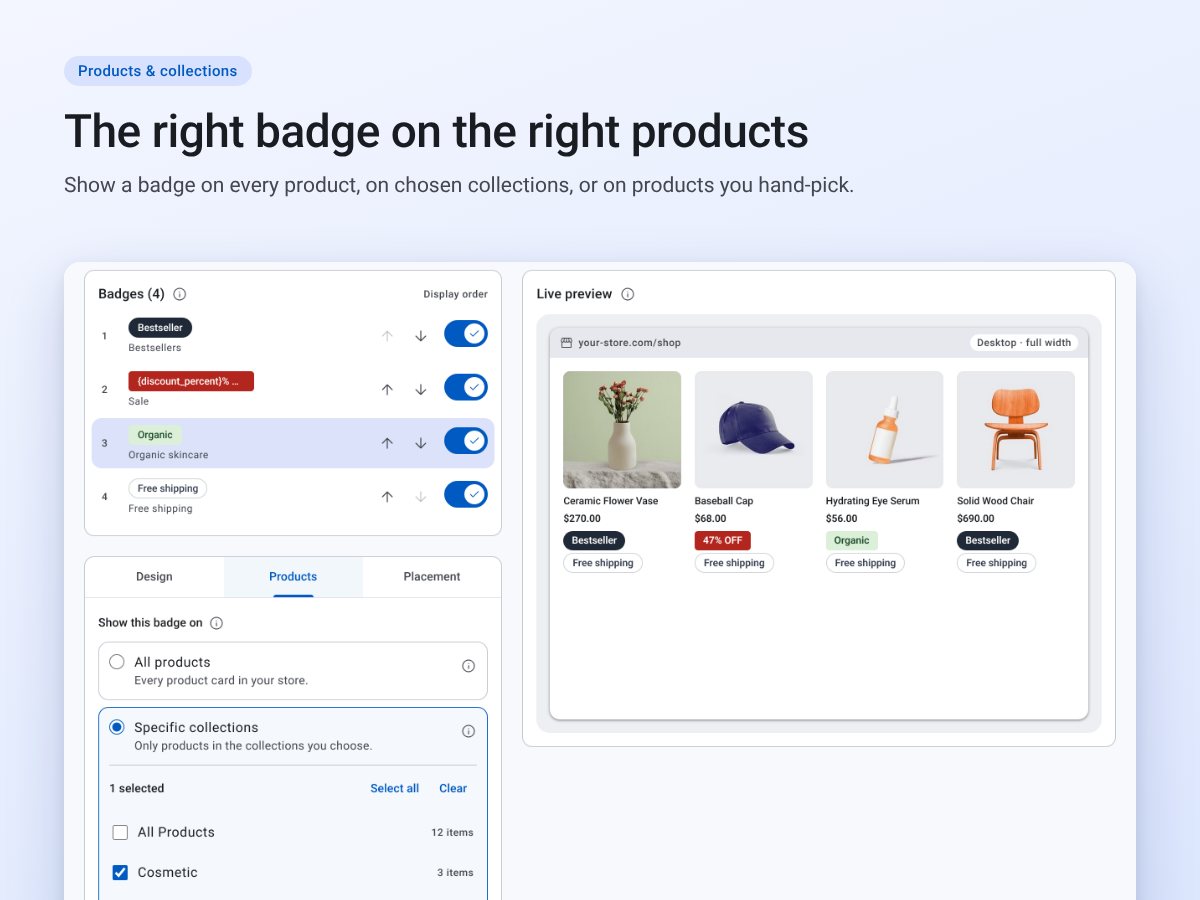
The right products
Show a badge on all products, on chosen collections, or on products you hand-pick from your catalogue.
Automatic sale badges
Display the real discount, like “47% OFF” or “Save $61.00”, only on products that are on sale.
Live preview
See your badges on your own products while you design, for each screen size, before you publish.
Light and private
A small script that loads in the background. It sets no cookies, doesn’t track your shoppers, and needs no code from you.
Design once, fine-tune per device
Switch between Desktop, Tablet, Mobile and a custom width to adjust each one. Hide a badge on phones to keep small cards clean.
Target collections or single products
Pick from your real collections and products. New products added to a collection get the badge automatically.
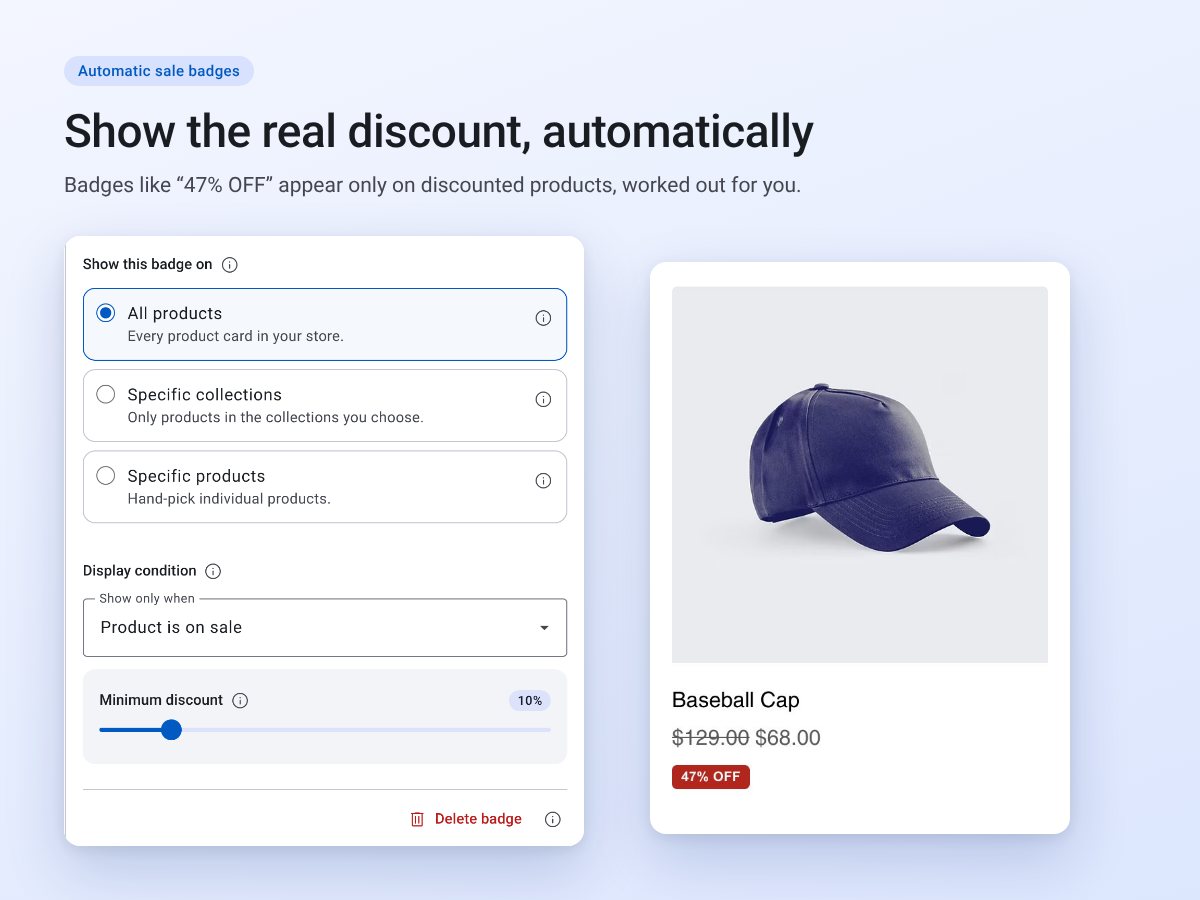
Sale badges that do the maths
Add a condition such as “on sale”, “out of stock” or a price range, and use tokens to show the exact discount.
Up and running in minutes
Everything happens inside your Wix dashboard.
Install the app
Add FlexiLabels: Product Badges to your Wix site from the Wix App Market.
Design your badges
Choose text, colours and shape, pick the products, and fine-tune each screen size with the live preview.
Save & publish
Your badges appear on your store. Shoppers see changes on their next page load.
Questions
Will it slow down my store?
No. The badge script is small (under 20 KB), loads in the background and adds the badges after your products appear. It sets no cookies.
Do I need to edit any code?
No. Install the app, design your badges in its dashboard inside Wix, and click Save & publish. Shoppers see the changes on their next page load.
Which stores does it work with?
Wix sites using Wix Stores. Badges appear on product cards in your shop and category pages.
Can badges be in my language?
Yes. You type the badge text yourself, so badges can be in any language, including Turkish characters. The app’s dashboard is in English.
What happens if I uninstall?
Your badges disappear from your store straight away. Your settings are kept for 30 days in case you reinstall, then deleted automatically.
How much does it cost?
Current pricing is shown on the app’s Wix App Market listing.
Make your products stand out
Questions or feedback? Email us at flexilabels@peekatot.app.
Get it on the Wix App Market